OpenCode Zen vs Go: Which to Choose (and Can You Use Both?)
Published on:
Reading time: 24 min
Topic: Technology
Author: Leandro Valencia
Zen is prepaid pay-per-use; Go is the $10 subscription with usage caps. A direct comparison, a BYOK/Zen/Go table, real cost per turn, and when having both makes sense.
Table of Contents
- First, let's clear up the three names everyone confuses
- Comparison table: BYOK, Zen, and Go
- What actually fits inside $10
- The real cost per turn, for perspective
- Choosing the AI based on the need and the complexity
- Ten practical tips to squeeze the most out of the Go plan
- Practical tools that pair well with this workflow
- When Go isn't the answer
- Closing thoughts
- Keep reading
- Sources
First, let's clear up the three names everyone confuses
OpenCode is an open source, terminal-based coding agent maintained by Anomaly. It's the tool: a TUI where you type, an agent that reads your repository, edits files, runs commands, and shows you the diffs. It's free, and it always has been.
OpenCode Zen is a different thing. It's a model gateway — a middleman — that the OpenCode team built after running into a real problem: dozens of models claim to be good at coding, but very few actually hold up well as agents, and the ones that do perform very differently depending on which provider serves them. The same model can be excellent on one provider and mediocre on another, under the same label. Zen is the answer to that: they tested models, talked to the teams that train them, negotiated with providers to have them served correctly, benchmarked the model/provider combinations, and published a curated list. You pay per use, with prices per million tokens and no declared markup beyond payment-processing fees.
OpenCode Go is the third piece, and the newest one: a flat $10-a-month subscription ($5 for the first month) that gives you access to a subset of that list — the open models — with usage limits denominated in dollars instead of tokens. It's not an "unlimited" plan, and it doesn't pretend to be. It's a plan with a declared multiplier: you pay 10, and the team's stated goal is to give you around $60 worth of usage.
💡 Get $5 in credit toward your usage limits If you sign up through this OpenCode Go link, you get $5 in credit applied directly to your usage limits. That's practically your first month of testing covered before you spend a cent.
The three are independent. You can use OpenCode with your own OpenAI or Anthropic keys and never pay Zen or Go a dime. You can use Zen from an agent other than OpenCode. And you can run Go and Zen at the same time, which is actually what I recommend further down.
Comparison table: BYOK, Zen, and Go
| OpenCode BYOK | OpenCode Zen | OpenCode Go | |
|---|---|---|---|
| Billing model | Free (you pay the provider) | Pay per use, prepaid balance | Flat subscription |
| Price | $0 + whatever you spend on your API | Based on tokens consumed | $5 the first month, then $10/month |
| Catalog | Any provider you support | ~70 models: Claude, GPT, Gemini, Grok, Qwen, DeepSeek, GLM, Kimi, MiniMax | 18 open models: Grok 4.5, GLM-5.2/5.1, GPT 5.6 Luna, Kimi K3/K2.7/K2.6, Qwen3.8/3.7/3.6, DeepSeek V4 Pro/Flash, MiniMax M3/M2.7, MiMo-V2.5, Hy3 |
| Frontier models | Yes, if you pay for the API | Yes (Claude Opus 5, GPT 5.6 Sol, Gemini 3.1 Pro, Claude Fable 5) | No, except Grok 4.5 and GPT 5.6 Luna |
| Limits | Your provider's | Your balance and whatever monthly cap you set | $12 every 5 hours · $30/week · $60/month |
| Auto top-up | N/A | Yes: if you drop below $5, it tops up $20 (configurable or can be disabled) | N/A, it's flat |
| When you hit the limit | N/A | Top up or it stops | You keep going with the free models, or it falls back to your Zen balance if you enable "Use balance" |
| Teams | Manual | Workspaces with roles, per-member limits, models you can enable (free in beta) | Only one member per workspace can subscribe |
| Data retention | Whatever your provider does | Zero retention except documented exceptions | 0 days for almost all; 30 days for Grok 4.5 and GPT 5.6 Luna |
| Bring your own key | It's the default mode | Yes, you can use your OpenAI/Anthropic keys inside Zen | No |
| Who it's for | Anyone with existing contracts or credits | Anyone who needs frontier models and fine-grained control | Anyone who executes a lot and decides little |
The quick read on this table: Zen is a full catalog at market prices, Go is a cheap subset with a ceiling. They don't compete, they complement each other.
What actually fits inside $10
This is where most reviews fall short, because they repeat the headline — "18 models for $10" — without explaining the mechanics that actually determine what you can do.
Go doesn't give you tokens. It gives you a dollar-denominated budget, and that budget burns at a rate set by the price of whatever model you pick. There are three simultaneous buckets: $12 every five hours, $30 per week, and $60 per month. The five-hour one is a firewall against runaway sessions; the weekly one keeps you from blowing through the whole month in three days; the monthly one is the real ceiling.
But there's a second layer that almost nobody mentions, and it's the most important one: not every model gets the same allotted budget. The official documentation publishes a "usage" column per model, and it shows that some come with $60 of included usage and others with only $15. The team's explanation is honest: for most models they negotiated volume discounts and reserved GPU capacity, and they pass that savings on as a 6x multiplier. For the ones they haven't — either because they're too new or because their public price is already discounted — the multiplier drops to 1.5x.
That splits Go's catalog into two tiers:
The $60 tier (6x multiplier): GLM-5.2, GLM-5.1, Kimi K2.7 Code, Kimi K2.6, MiMo-V2.5, MiniMax M3, MiniMax M2.7, Qwen3.7 Max, Qwen3.7 Plus, Qwen3.6 Plus, DeepSeek V4 Flash, Hy3.
The $15 tier (1.5x multiplier): Grok 4.5, GPT 5.6 Luna, Kimi K3, MiMo-V2.5-Pro, Qwen3.8 Max, DeepSeek V4 Pro.
Translated into actual requests, based on the estimates OpenCode publishes from observed usage patterns:
| Model | Requests / 5h | Requests / week | Requests / month | Tier |
|---|---|---|---|---|
| DeepSeek V4 Flash | 31,650 | 79,050 | 158,150 | 60 |
| MiMo-V2.5 | 30,100 | 75,200 | 150,400 | 60 |
| Qwen3.7 Plus | 4,300 | 10,800 | 21,600 | 60 |
| Hy3 | 4,300 | 10,750 | 21,500 | 60 |
| MiniMax M2.7 | 3,400 | 8,500 | 17,000 | 60 |
| DeepSeek V4 Pro | 3,450 | 8,550 | 17,150 | 15 |
| Qwen3.6 Plus | 3,300 | 8,200 | 16,300 | 60 |
| MiMo-V2.5-Pro | 3,250 | 8,150 | 16,300 | 15 |
| MiniMax M3 | 3,200 | 8,000 | 16,000 | 60 |
| Kimi K2.7 Code | 1,350 | 3,380 | 6,750 | 60 |
| Kimi K2.6 | 1,150 | 2,880 | 5,750 | 60 |
| GLM-5.2 / GLM-5.1 | 880 | 2,150 | 4,300 | 60 |
| Qwen3.7 Max | 340 | 840 | 1,690 | 60 |
| GPT 5.6 Luna | 2,050 | 5,100 | 10,250 | 15 |
| Qwen3.8 Max | 160 | 400 | 810 | 15 |
| Grok 4.5 | 120 | 300 | 600 | 15 |
| Kimi K3 | 110 | 250 | 490 | 15 |
Look at the jump: DeepSeek V4 Flash gets you 158,000 requests a month; Kimi K3 gets you 490. That's a 320x gap between the cheap end and the expensive end within the same $10 plan. Anyone who treats Go like a buffet — "always pick the best model" — is going to slam into the five-hour limit on day one.
And you have to size those big numbers with some judgment. A real agentic task — "add JWT authentication to this endpoint, write the tests, and update the docs" — isn't one request. It's somewhere between 30 and 150 turns: reading files, proposing a diff, running tests, watching them fail, fixing, running again. By that yardstick, GLM-5.2's 4,300 monthly requests translate to roughly 30 to 100 medium tasks a month. For a solo developer or a side project, that's generous. For a four-person team sharing one account, it isn't — and in fact it's not even allowed: only one member per workspace can subscribe to Go.
If you're after a breakdown focused purely on Go's price and limits, without the Zen or strategy angle, I have a dedicated review: OpenCode Go: price, usage limits, and whether it's worth it in 2026.
The real cost per turn, for perspective
To understand why the strategy I'm proposing works, it helps to calculate what a typical agentic turn actually costs on each model. I'm using a realistic, consistent profile — about 800 tokens of new input, 60,000 tokens read from cache (the repo context, which is what dominates the spend), and 250 tokens of output — applying Zen's public prices:
| Model | Estimated cost per turn | Turns per $1 |
|---|---|---|
| GPT 5.6 Luna | $0.00166 | ~600 |
| DeepSeek V4 Flash | $0.00186 | ~540 |
| MiniMax M3 | $0.0041 | ~240 |
| Kimi K2.7 Code | $0.0132 | ~76 |
| Claude Sonnet 5 | $0.0161 | ~62 |
| GLM-5.2 | $0.0178 | ~56 |
| Grok 4.5 | $0.0211 | ~47 |
| Claude Opus 5 | $0.0403 | ~25 |
| GPT 5.6 Sol | $0.0415 | ~24 |
| Claude Fable 5 | $0.0805 | ~12 |
My own estimate based on the profile described and the prices published in Zen's documentation (within Go, some of these models are served even cheaper). Your actual spend will vary depending on your repo size and how much cache you're leveraging.
What jumps out is that the gap between the frontier model and the workhorse model isn't 30% or double: Claude Fable 5 costs more than forty times what GPT 5.6 Luna or DeepSeek V4 Flash cost for the same turn, and inside the Go plan that gap widens even further. Which brings up the uncomfortable question: do those 150 turns of "read the file, apply the diff, run the test" really need the best model in the world?
Almost never. What does need the best model in the world is the decision of what to build and how. And that decision takes five or ten turns, not a hundred and fifty.
My recommendation: separate design from execution
Here's the core of this article. My workflow, after a fair amount of trial and error, is this: define the spec with Claude or Grok, and execute the spec with OpenCode Go.
Personally, I mostly use Claude — Opus 5 when the decision is architectural, Sonnet 5 for more routine specs — and Grok when I want a second opinion with a different bias, or when I need the model to be blunt instead of agreeable. Codex works just as well for this phase if it's your usual tool; the point isn't the brand, it's the role.
The logic is the same one behind any serious agile methodology: refinement and execution are different activities, with different cost and risk profiles. Nobody puts their architect to work writing unit tests, and nobody asks the junior to decide the data model. When you blur both into a single conversation with a frontier model, you pay architect prices for execution work for hours on end.
Why this works technically
An execution model doesn't need creativity; it needs obedience and competence. If the spec is good — if it states which files to touch, what contract to satisfy, which edge cases to cover, and how success is verified — then the task stops being "design this" and becomes "transcribe this into code and validate it." Models like GLM-5.2 or Kimi K2.7 Code handle that perfectly well.
When the spec is bad, on the other hand, the execution model starts improvising. And that's exactly where people conclude that "open models don't cut it." It's not that they don't — it's that you asked them to do two jobs and only paid for one.
The concrete workflow, step by step
1. Design conversation with Claude or Grok. No code yet. Describe the problem, the business context, and the constraints. Explicitly ask it to question you before proposing anything. This is where you spend 5 to 15 turns of an expensive model, and it's the best-invested part of the whole process.
2. Generate the spec as a file. Ask for the output in markdown, with this minimum structure: goal, context (what exists today), explicit scope, explicit non-scope, files to touch, contracts and interfaces, edge cases, verifiable acceptance criteria, and a verification plan. Save it in the repo, for example at specs/2026-08-12-auth-jwt.md. Having it live in git is part of the point: it's documentation and it's traceability.
3. Break it into atomic tasks. Each task in the spec should be something an agent can complete and verify without ambiguity. If a task needs a mid-flight product decision, it isn't ready to be executed; go back to step 1.
4. Execute with OpenCode Go. Open OpenCode in the repo, point it at the spec, and let the workhorse model do the job. My default assignment is GLM-5.2 or Kimi K2.7 Code for the main implementation, and MiniMax M3 or DeepSeek V4 Flash for mechanical tasks (renaming, syntax migrations, generating repetitive tests, updating imports).
5. Review with the expensive model, only if needed. If the tests pass and the diff reads cleanly, skip it. If something smells off, hand the diff to Claude or Grok with a specific question. That's three turns, not thirty.
Example of an executable spec
# Spec: Rate limiting on the public search endpoint

## Goal
Prevent abuse of the `GET /api/search` endpoint, which today has no protection.

## Context
- Express 4 + Redis already available in `src/lib/redis.ts`
- Auth middleware in `src/middleware/auth.ts` (pattern to follow)
- No middleware tests yet

## Scope
- Reusable `rateLimit` middleware, configurable per route
- Apply it only to `GET /api/search`
- Sliding window in Redis, 60 requests / 60s per IP
- Respond 429 with `Retry-After` header

## Out of scope
- Rate limiting per authenticated user (phase 2)
- Metrics dashboard
- Changes to the search algorithm

## Files
- Create: `src/middleware/rateLimit.ts`
- Create: `src/middleware/__tests__/rateLimit.test.ts`
- Modify: `src/routes/search.ts` (just add the middleware)

## Contract
```ts
rateLimit(opts: { windowMs: number; max: number; keyPrefix: string }): RequestHandler
```

## Edge cases
- Redis down → let the request through and log a warning (fail-open)
- No IP in the request → use `req.socket.remoteAddress`, and if that's missing too, don't limit
- Clock: use the server's `Date.now()`, not client timestamps

## Acceptance criteria
- [ ] 60 requests in 60s pass; the 61st returns 429
- [ ] The `Retry-After` header carries seconds until reset
- [ ] With Redis down, tests stay green
- [ ] `npm test` and `npm run lint` green
- [ ] No file outside the "Files" list gets modified

## Verification
Run `npm test -- rateLimit` and `npm run lint`.
A spec like that gets executed by GLM-5.2 without breaking a sweat, probably in 25-40 turns. At around $0.014 of Go budget per turn, that's roughly half a dollar out of your $60 monthly allotment. You can run this more than a hundred times a month.
Choosing the AI based on the need and the complexity
This is the habit that saves the most — money and frustration — and the one fewest people actually practice. The right question before opening any chat isn't "which is the best model?" It's "what kind of work is this?"
I think about it in four levels.
Level 0 — Mechanical. Renaming variables, converting one format to another, generating boilerplate, translating a config file, writing repetitive tests from an already-established pattern. No decisions involved. Use the cheapest thing available: DeepSeek V4 Flash, MiMo-V2.5, GPT 5.6 Luna. If the output is wrong, it's obvious immediately and retrying costs nothing.
Level 1 — Guided implementation. There's a clear spec, and it needs to become code that compiles, passes tests, and respects the project's conventions. This requires real competence but no product judgment. This is home turf for GLM-5.2, Kimi K2.7 Code, MiniMax M3, Qwen3.7 Plus. It's 70% of real programming work, and it's exactly where Go shines.
Level 2 — Bounded design. Something needs to be decided, but within a known framework: how to model this table, which pattern to use for this case, how to structure this module. The bar goes up here: Grok 4.5, Claude Sonnet 5, GPT 5.6 Terra. These are few turns, so even though they cost more per turn, the hit to your bill is smaller than you'd fear.
Level 3 — Decisions with consequences. Architecture, migration strategy, technology choices, untangling a confusing incident — anything where getting it wrong costs weeks. Go frontier, no hesitation: Claude Opus 5, Claude Fable 5, GPT 5.6 Sol, Gemini 3.1 Pro. And this is where the luxury of a second opinion pays off: ask the same question to two models from different families and compare. When they agree, that's a reasonably strong signal; when they diverge, you've found exactly the point where you needed to think it through yourself.
The rule that sums it all up: the expensive model decides, the cheap model executes. And the corollary, which matters just as much: if you catch yourself reaching for a frontier model on turn number eighty of the same task, something went wrong at the design step. Go back to the spec.
There's a nuance worth spelling out, because it touches the philosophical part of all this. The temptation to always use the best model isn't economic, it's psychological: it just feels safer. But that sense of safety has a real cost, and it's not only the bill. When you delegate everything to the most capable model, you stop distinguishing between decisions that matter and ones that don't. Forcing yourself to classify the task before picking the tool is, at bottom, an exercise in judgment. And judgment is the one thing you can't outsource.
Ten practical tips to squeeze the most out of the Go plan
1. Set your default model to the workhorse, not the expensive one. In your opencode.json, set opencode-go/glm-5.2 or opencode-go/kimi-k2.7-code as the primary model. Switching up should be a deliberate act, not the default state.
2. Use OpenCode's agent system to assign models by role. OpenCode lets you define separate agents with separate models. A plan agent with a capable model that only reads and proposes, and a build agent with a cheap model that executes. It's the workflow from this article, automated.
3. Write an AGENTS.md at the repo root. Conventions, test commands, folder structure, what not to touch. Everything in there is one less thing the workhorse model has to guess, and guessing is what burns turns.
4. Make the most of caching. The bulk of the cost per turn is cached reads, not new tokens. Long sessions over the same context are much cheaper per turn than opening a new session for every small task. Batch related work together.
5. Watch the five-hour limit, not the monthly one. The ceiling that's actually going to bite you is the $12-every-five-hours one. If you're about to run an intense session, start with the cheap model and save the expensive one for when you get stuck.
6. Only enable "Use balance" if you have a Zen balance and know why. It's the safety valve: once you exhaust Go, it keeps pulling from your pay-per-use balance instead of locking you out. Very useful under a deadline, dangerous if you leave it on and forget about it.
7. Zen's free models are still there once you exhaust Go. There's a list of models in a free promotional period (DeepSeek V4 Flash Free, MiMo-V2.5 Free, Hy3 Free, Nemotron, LongCat, among others). Watch the fine print: during the free period, your data may be used to improve the model. Don't use them with confidential code.
8. Check the privacy table before feeding it client code. On Go, most models retain data for 0 days, but Grok 4.5 and GPT 5.6 Luna retain it for 30. If you work under NDA, that column matters more than the benchmark.
9. Keep a Zen balance even if you're on Go. Ten dollars of Go plus twenty of Zen balance gets you the best of both: execution that's effectively unlimited, and on-demand access to frontier models when the decision warrants it. It's still less than a single premium subscription costs.
10. Measure. The OpenCode console shows your usage. Check it once a week for a month and you'll discover that 80% of your spend comes from two or three types of task. Those are the ones to move to cheap models or, better, automate with a reusable spec.
Practical tools that pair well with this workflow
OpenCode (opencode.ai) is the foundation: TUI, CLI, server mode, IDE integration, MCP support, and Agent Skills support. One-line install, works on macOS, Linux, and Windows via WSL.
The /connect command inside the TUI is how you plug in Go or Zen: it asks for the API key you copy from the console at opencode.ai/auth, and /models shows you the available catalog. In your config, the IDs carry the provider prefix: opencode-go/kimi-k3 for Go, opencode/gpt-5.6-sol for Zen.
Claude Code, Codex CLI, or Grok for the design phase. Any of them work; what matters is that the spec conversation happens somewhere separate from the execution, if only to avoid mixing contexts.
A specs/ directory versioned in git. It sounds like nothing and it's half the value of this method. Specs pile up, get reused, turn into templates, and — here's the good part — become the best possible onboarding material for whoever, human or agent, shows up next.
MCP servers to give the agent real context: access to your database, your task tracker, your docs. An agent with context needs fewer turns, and fewer turns means less budget burned.
Go's direct endpoints, if you want to build something on top of it. https://opencode.ai/zen/go/v1/chat/completions is compatible with the OpenAI SDK, and some models expose the Anthropic format at /v1/messages. You can use your Go subscription from your own scripts, not just from the TUI.
When Go isn't the answer
In the interest of honesty, three scenarios where I wouldn't recommend it.
If your work is mostly Level 3 — architecture consulting, research, analysis — Go won't do much for you, because the value lives in the models it doesn't include. Just pay Zen per use.
If you're a team, Go doesn't scale: only one member per workspace can subscribe. For teams, the path is a Zen workspace with per-member spend limits and models enabled by role.
And if your code is strictly confidential, check the retention table model by model and consider BYOK with a provider you already have a contractual agreement with. Ten dollars is cheap, but not cheap enough to skip that conversation.
Closing thoughts
The conclusion I'm left with after months on this workflow isn't really about OpenCode. It's about how we think about AI spend in general: we keep buying tools when what we should be designing are processes.
Ten dollars a month goes a very long way if the execution arrives with clear instructions, and not very far at all if you use it as a substitute for thinking. The Go plan doesn't make you more productive on its own; it forces you — by design, through its limits — to decide what deserves an expensive model and what doesn't. And that discipline, which looks like a constraint, ends up being what makes the work turn out better.
Define the spec with the best model you can afford. Execute it with the cheapest one that can carry it. Keep the spec in git. Repeat.
🎁 Start with $5 in free credit Before paying for the full plan, sign up for OpenCode Go with this link and get $5 in credit applied directly to your usage limits. It's the cheapest way to test whether the workflow in this article fits how you work before committing to the monthly payment.
Frequently Asked Questions
Does OpenCode Go replace Claude Code or Codex?
No, and it shouldn't. Go is an execution plan with open models. Claude Code and Codex remain better for the design phase and for tasks that require judgment. The approach in this article is to use them together, not choose between them.
Can I have Go and Zen at the same time?
Yes, and that's what I recommend. Go covers execution with a flat budget; Zen gives you on-demand access to frontier models. You can also enable the "Use balance" option so Go falls back to your Zen balance once you exhaust the limits instead of locking you out.
How many real tasks fit inside the $10 plan?
It depends on the model. With GLM-5.2 (4,300 requests a month) and tasks running 30 to 150 turns, you're looking at roughly 30 to 100 medium tasks a month. With DeepSeek V4 Flash, it's effectively unlimited for individual use.
Why does Grok 4.5 only give 600 requests a month on Go?
Because not every model comes with the same allotted budget. Most include $60 of usage (6x multiplier), but a few — Grok 4.5, Kimi K3, GPT 5.6 Luna, Qwen3.8 Max, DeepSeek V4 Pro, and MiMo-V2.5-Pro — include $15 (1.5x multiplier), because the team hasn't yet been able to negotiate discounts on them.
What happens when I hit the limit?
You can keep using the free models in the catalog, or enable "Use balance" to draw from your Zen balance. You can also just wait for the five-hour window to reset.
Does OpenCode Go work for teams?
Not directly: only one member per workspace can subscribe. For teams, the path is a Zen workspace with roles, per-member spend limits, and control over which models are enabled.
Is my data used for training?
Not on Go's models. Retention is 0 days for almost all of them, with the exception of Grok 4.5 and GPT 5.6 Luna (30 days, due to their providers' abuse policies). It's a different story for models in Zen's free promotional period, where your data can be used to improve the model.
Keep reading
If you just want the price, the limits, and my hands-on experience using OpenCode Go on its own, without the Zen or spec-strategy angle: OpenCode Go: price, usage limits, and whether it's worth it in 2026.
If you're interested in the broader landscape of AI providers for coding, beyond OpenCode: Why in 2026 you shouldn't rely on a single AI provider for coding anymore.
Sources
- OpenCode Go — official documentation
- OpenCode Zen — official documentation
- OpenCode Go — product page
- OpenCode Zen — product page
- OpenCode — general documentation
Prices, models, and limits verified on August 12, 2026. OpenCode's catalog changes frequently; check the official documentation before making a purchasing decision.
Related Posts
Keep exploring similar content that may interest you

How to Install OpenCode and Code with AI, Step by Step
Install OpenCode (CLI), connect it to a provider and run your first agent in your repo. Includes OpenCode Go with $5 in credit. Not a pricing post.
OpenCode Go Usage Limits in 2026: $10/Month and Is It Worth It?
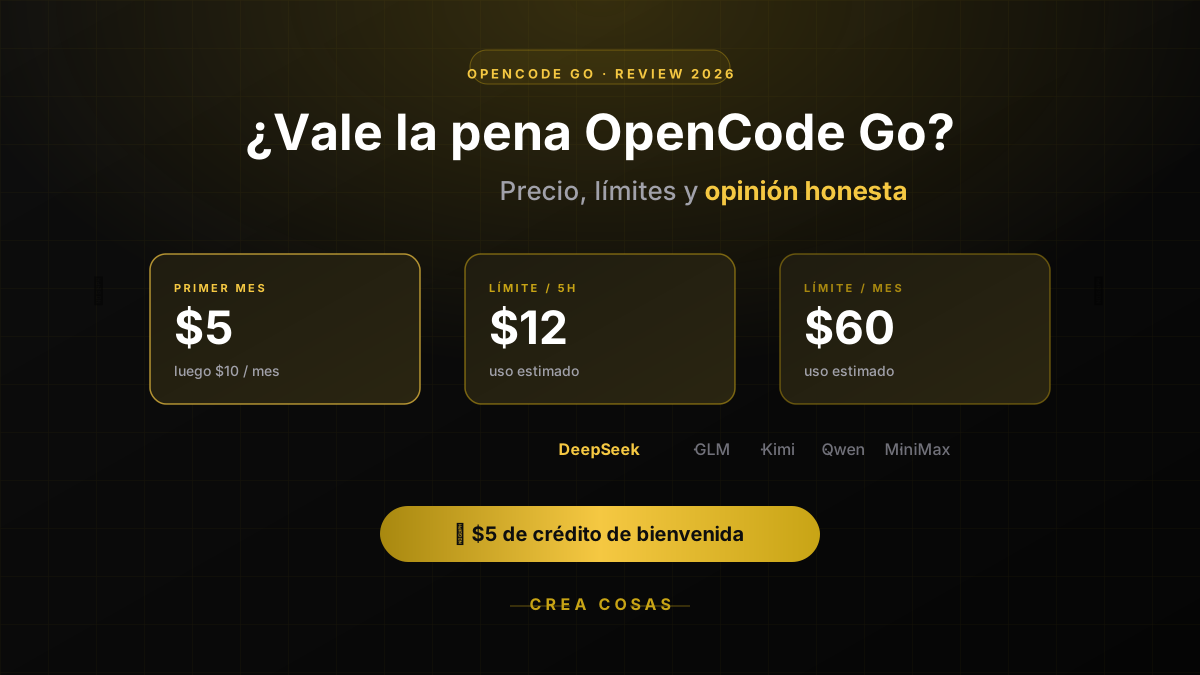
The verdict on OpenCode Go: yes, it's worth it — with caveats. $5 the first month, $10/month after — which models it includes, how its usage limits really work, and when you shouldn't pay for it. Includes how to get an extra $5 in credit.

OpenCode Go Billing: Invoices, Credits and Cancelling
What is confirmed about OpenCode Go billing: price, referral credit, how it works with Zen, and where to look for what the site never publishes.
Partnerships
Tools I use every day, on better terms for this community.