Why in 2026 You Should No Longer Rely on a Single AI Provider for Coding
Published on:
Reading time: 10 min
Topic: Technology
Author: Leandro Valencia
If you run out of AI quota mid-month, the problem isn't your discipline: it's putting all your eggs in one basket. Learn how to diversify across DeepSeek, Qwen, GLM, Kimi, Claude and GPT to code cheaper and without interruptions.
Table of Contents
- The real problem: a single provider drains your budget fast
What each model is for (practical guide)
- DeepSeek — the daily workhorse
- Qwen (Alibaba) — the all-terrain with broad context
- GLM (Z.ai) — the best open model for coding agents
- Kimi (Moonshot AI) — the specialist for long tasks
- Claude (Anthropic) — the one you reserve for what matters
- GPT (OpenAI) — versatility and ecosystem
- Gemini (Google) — giant context and good pricing in the mid tier
- How to assemble your provider combo without overspending
- The conclusion
By Leandro · Diario para Emprendedores
If you're an independent developer or run a small startup, this has surely happened to you: you sign up for a coding AI plan, use it heavily the first week, and by day 15 you're told you've hit the limit. Now you wait for the reset or pay extra.
That's not a discipline problem. It's a design problem: you put all your eggs in one basket.
In 2026 the landscape has completely changed. There is no longer "the best AI for coding" in absolute terms — there are several excellent AIs, each with a different price and purpose. And the strategy that actually saves you money as an independent developer isn't chasing the "definitive" provider, but splitting your workload across 2 or 3 providers with base limits, each one serving a specific role.
Here's why, and which model suits each type of task.
The real problem: a single provider drains your budget fast
When you depend on a single plan — say, Claude Pro at $20 a month — your entire workflow goes through that quota: simple prompts, repetitive tasks, trivial bug fixing, and also the complex tasks that truly need the most powerful model.
The result is that you spend the expensive model's quota on tasks a cheap model would have solved just as well.
It's like using premium gasoline to move the car around the garage. It works, but it's a waste.
The solution independent developers are adopting in 2026 is having multiple providers with cheap base subscriptions, and assigning each task to the right provider based on its difficulty. This achieves two things:
- No subscription runs out as quickly, because none is carrying your entire workload.
- You pay less overall, because you only use expensive models when they're truly justified.
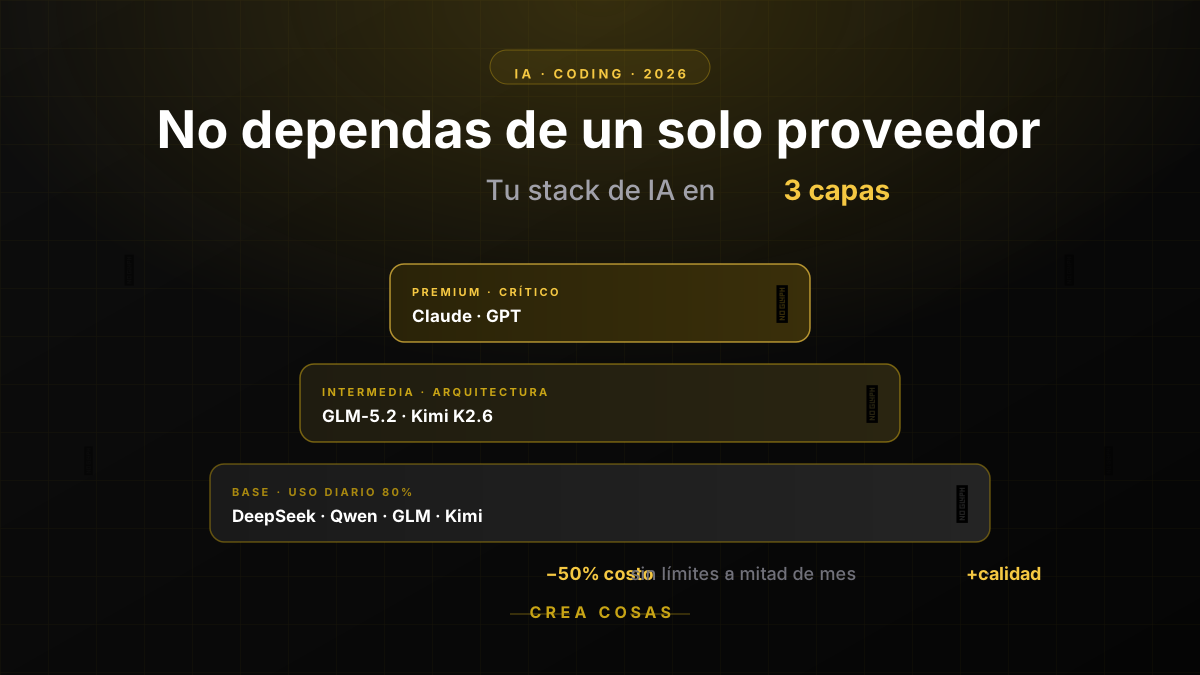
The "layers" logic for providers
Think of your AI tools as layers, not a single tower:
Base layer (daily use, simple and repetitive tasks)
This is where Chinese open-source models belong — in 2026 they've caught up with the big players on standard code tasks: completing functions, refactoring, writing tests, solving common bugs, documenting code. Models like DeepSeek, Qwen Coder, , and Kimi are extremely cheap and work very well for 70-80% of your daily coding work.
Intermediate layer (medium complexity, light architecture)
Models like GLM-5.2 in its full version or Kimi K2.6 for longer reasoning, design decisions for a function or module, code review with moderate context.
Premium layer (critical tasks, full architecture, complex debugging)
Here you reserve Claude (Sonnet or Opus) or GPT for when it really matters: designing the architecture of a complete system, solving a bug no one else could, making high-impact technical decisions where an error costs you dearly in time or in production.
The idea is simple: don't spend your premium quota on tasks a cheap model solves just as well.
What each model is for (practical guide)
Here's a quick guide on what to use each model family for, thinking about how you'd work as an independent developer:
DeepSeek — the daily workhorse
It's the cheapest option on the market on pay-per-use and has surprisingly high quality for standard tasks. Use it for: completing code, generating functions from a description, writing tests, fixing common syntax or logic errors, documenting.
If you code every day and need an assistant that doesn't make you worry about cost, this is your base model. More info at platform.deepseek.com.
Qwen (Alibaba) — the all-terrain with broad context
Qwen Coder is especially good at working with larger codebases and maintains a solid understanding of extended context. It's ideal when you're working on an existing project and need the AI to understand several related files before making changes.
Best of all: on its website chat.qwen.ai any user gets free access, and not just for code — it also lets you generate images and videos, making it useful for content creators as well as programmers. For API use and coding plans, go to Alibaba Cloud.
GLM (Z.ai) — the best open model for coding agents
If you use tools like Claude Code, Cline, Roo Code, or OpenCode as your "copilot" that executes tasks more autonomously, GLM is one of the best-behaved in that agentic workflow.
It's your choice when you want the AI not just to suggest code, but to execute complete steps: creating files, running commands, iterating on errors. Available at z.ai/subscribe.
Kimi (Moonshot AI) — the specialist for long tasks
Kimi shines in tasks that require maintaining a lot of context and sustained reasoning, like large refactorings or understanding a complex project end to end. Useful when you need the AI to "remember" a lot about the project without getting lost. Find it at kimi.com.
Claude (Anthropic) — the one you reserve for what matters
It remains, in practice, the model with the best judgment for complex coding tasks: system architecture, technical design decisions, debugging hard-to-trace errors, code with many dependencies and implications.
It's more expensive per token, so it makes more sense as your "senior consultant" that you turn to in the moments that really matter, not as your everyday text editor. Start at claude.ai.
GPT (OpenAI) — versatility and ecosystem
A solid upper-mid option, with the advantage of having one of the largest tool ecosystems (Codex, integrations, plugins). Useful if you already have workflows built around the OpenAI ecosystem. Try it at chatgpt.com.
Gemini (Google) — giant context and good pricing in the mid tier
Its big advantage is the context size it handles, which is valuable when you need the AI to analyze very long files or multiple documents at once. A good option if you work with very large code or voluminous technical documentation. Available at gemini.google.com.
Subscriptions that give you access to several models with a single fee
Beyond hiring each model separately, in 2026 there are cheap plans that give you access to several open models with a single low-cost subscription, which simplifies the "layers" combo we discussed above.
Here are four good options to start with:
OpenCode Go — from $10/month
Flat-rate subscription designed for the OpenCode coding agent, giving you access to a catalog of open models (DeepSeek, GLM, Kimi, among others) with a single monthly fee instead of paying per token on each one. Ideal as your "base layer" if you code every day and want a predictable fee with no surprises on the invoice. Details at opencode.ai/docs/go.
Qwen Coding Plan (Alibaba) — $50/month Pro Version
With a single key you get access not only to Qwen models, but also to other open models like Kimi, GLM, and MiniMax. The Lite version is currently no longer available and the plan shown on the site is the Pro Version at $50/month. It remains a very versatile option if you want model variety without managing several different subscriptions. More info at Alibaba Cloud.
GLM Coding Plan (Z.ai) — from $12.60/month with annual billing (Lite)
Slightly more expensive than the previous two, but gives you access to the best-rated open coding model of the moment (GLM-5.2), with generous usage quotas designed specifically to work inside agents like Claude Code, Cline, Roo Code, and OpenCode itself. Available at z.ai/subscribe.
NVIDIA Build (NIM) — free API key, no credit card
This is the hidden gem for anyone just assembling their provider combo: NVIDIA gives away an API key (with the nvapi- prefix) that grants access to more than 80 open models — including DeepSeek, GLM, Kimi, and MiniMax — with a limit of 1,000 inference credits (expandable to 5,000 if you request them) and 40 requests per minute.
The endpoint is compatible with the standard OpenAI library, so it connects just as easily in Cursor, Cline, OpenCode, or any agent. It's not for production or high volume, but it's perfect for testing several models for free before deciding where to invest your budget, or as a backup when another provider's quota runs out mid-month. Activate it at build.nvidia.com.
The advantage of these kinds of plans is that, instead of subscribing to a single model, you pay a low fee (or nothing at all, in NVIDIA's case) and have the flexibility to test which one performs best for each task, without committing to a single provider from day one.
How to assemble your provider combo without overspending
A reasonable combination for an independent developer in 2026 might look like this:
- A cheap open-model subscription (DeepSeek or GLM Lite, between $10 and $18 a month) for 80% of your daily work.
- A premium subscription (Claude Pro at $20, for example) reserved only for tasks where reasoning quality really makes a difference.
- A free NVIDIA Build API key as a no-cost backup, to test new models or cover yourself when another provider's quota runs out mid-month.
- A pay-per-use account on an aggregator (like OpenRouter) as backup, for when you need to test a specific model without committing to a new subscription.
With this setup, no quota runs out early because each provider is only doing the part of the work it's most efficient at. And your total monthly spend usually ends up lower than paying for a single premium plan for everything.
Frequently asked questions
Isn't it more complicated to manage several providers than just one?
There's a minimal learning curve at first (configuring keys, knowing which to go to for each task). But once you internalize it, the flow is just as fast and you finish most months without having touched your premium quota. The extra complexity pays for itself in savings.
How much can I save by diversifying?
It depends on your volume, but the norm among independent developers in 2026 is to cut monthly AI spending by 30% to 60% compared to relying on a single premium plan for everything, simply by not burning expensive tokens on trivial tasks.
What if my premium provider raises prices or changes conditions?
That's exactly the point of diversifying: if Claude, GPT, or any other changes its pricing model or reduces quotas, you already have alternatives configured. Your workflow doesn't stop. In business terms, that's called continuity.
Does it also work if I work at a company, not as an independent?
Yes, the layer logic scales perfectly to teams. In fact, many companies use model routers that automatically assign each request to the cheapest provider capable of solving it. As an independent developer, you do that routing by hand, but the principle is the same.
The conclusion
The era of "pick one AI provider and stick with it" is over. In 2026, diversifying across providers isn't a technical whim, it's a business decision: it protects you from running out of quota mid-month, forces you to use the right model for each task, and in most cases ends up costing you less than relying on a single premium subscription for absolutely everything.
As an independent developer, your tools budget is limited. Treating it like a portfolio — with a cheap base for the day-to-day and premium reserves for what really matters — is the smartest way to stretch it.
Do you already diversify your AI providers, or are you still depending on just one? Tell me your combo in the comments.
Related Posts
Keep exploring similar content that may interest you
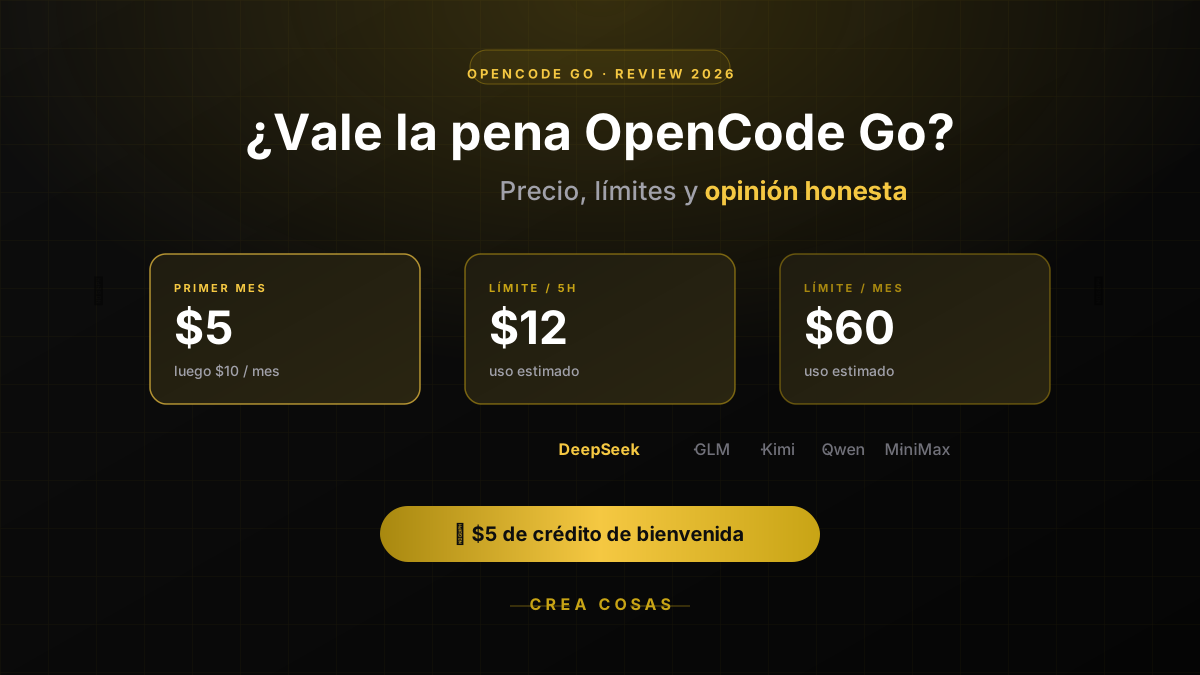
OpenCode Go Pricing & Limits (Oct 2026): $10/mo, Real Caps
OpenCode Go costs $10/month; Go Plus is $40. Each model has its own cap: 20% every 5 hours, 50% a week. Real limits per model and when to skip it.
OpenCode vs Claude Code: Price, Models and Limits in 2026
OpenCode vs Claude Code in 2026: OpenCode Go from 10 USD versus Claude Pro from 20 USD, which models each one uses, how their limits work and when to pick which.
Opus 5.5 vs Sonnet 5.5: which Claude model to use in 2026
We compare Anthropic's models: Opus 5.5, Sonnet 5.5, Fable 5.1 and Haiku 4.5. Their prices, strengths and which one is worth using depending on the task.
Partnerships
Tools I use every day, on better terms for this community.