10 open source AI repos that are changing how we code
Published on:
Reading time: 12 min
Topic: Technology
Author: Leandro Valencia
A deep dive into 10 open source AI repositories: model gateways, agent environments, automatic diagrams, and Rust-based document conversion.
Table of Contents
- 1. OmniRoute: a single endpoint for all your models
- 2. DeepSeek Harness: where everything is a plugin
- 3. Herdr: tmux, but it understands agents
- 4. Orca: the desktop ADE
- 5. Archify: from code to interactive diagram
- 6. Agents as characters: Pixel Agents and Agents in the Office
- 7. AnyDoc: converting documents to Markdown in milliseconds
- 8. Omarchy: Arch Linux ready to work, by DHH
- 9. grill-me: the skill that interrogates you before touching the code
- 10. OpenMontage: full video production from a script
- Quick comparison table
- What this list says about the moment
- Where to start without breaking anything
- Frequently asked questions
- Sources
Two years ago the debate was whether AI was actually good for programming. Today the debate is different, and it's far more boring to admit: you have one subscription for the chat, another for your editor's assistant, another for the model that writes code well, and none of the three talks to the others. You pay several times over for the same kind of capability, and when one runs out of credits, you switch tabs by hand.
That's where the interesting part of open source is showing up right now. Not in new models, but in the layer above: the stuff that unifies providers, orchestrates several agents at once, and turns an agent's work into something a human can review without losing their mind.
These are ten repositories that capture that shift well. I've grouped them by the problem they solve, not by popularity, and there's a table at the end to help you quickly decide which one you need.
One warning before we start: the GitHub star counts I quote are approximate, from late 2026. Everything in this category moves fast, so treat them as a signal of traction, not as exact data.
1. OmniRoute: a single endpoint for all your models
Repo: diegosouzapw/OmniRoute · ~58,000 stars · MIT
It's an AI gateway: you install it locally and it exposes a single OpenAI-compatible address. Behind it, it connects some 352 providers and more than 1,200 models — Claude, GPT, Gemini, DeepSeek, Kimi, , MiniMax.
What makes it more than a plain proxy is quota-based fallback. If a provider's free credits run out mid-session, OmniRoute jumps to the next one without your tool even noticing. More than 150 of those providers have a free tier, so in practice you can chain free tiers together and keep working.
It works with Claude Code, Codex, Cursor, Cline and Copilot. Keys are encrypted on your own disk; they never pass through anyone's cloud.
Who it's for: if you manage more than two API keys by hand, this takes that job off your plate today.
2. DeepSeek Harness: where everything is a plugin
Repo: deepseek-ai/deepseek-harness · MIT · developer preview
DeepSeek released its own agent harness, and the design decision is the one that matters: the model adapter, the tool registry, the session log, and even the agent loop itself are replaceable plugins. This isn't a closed product with extension points; it's a skeleton.
It ships with a console and a local web interface (it starts on 127.0.0.1:3080). The practical appeal is the usual DeepSeek one: low cost and high quality in code generation.
Who it's for: if you want to understand how an agent works under the hood, or build your own without starting from scratch.
3. Herdr: tmux, but it understands agents
Repo: search for herdr on GitHub · ~22,000-30,000 stars · Rust · AGPL-3.0 · created by Oğulcan Çelik
A terminal multiplexer written in Rust, a single ~10 MB binary, no dependencies. The difference from tmux is conceptual: Herdr treats every agent as a first-class object. Its sidebar tells you in real time whether each one is working, blocked, done or idle.
That solves the real problem of running five agents: not knowing which one is waiting for your reply. It runs on top of the terminal you already use, works over SSH, and supports the mouse — something that was always a patch job in tmux.
Who it's for: people who live in the terminal and have already wasted time hunting for the pane that was stuck.
4. Orca: the desktop ADE
Repo: stablyai/orca · ~43,000-59,000 stars · MIT
Orca describes itself as an ADE: Agent Development Environment — the idea that the successor to the code editor isn't an editor with AI, but an environment for directing agents. It runs more than 40 CLI agents in parallel — Claude Code, Codex, OpenCode, Cursor, Grok — and each session lives in its own isolated git worktree, so several agents can touch the same repo without stepping on each other.
It includes a VS Code-based editor, annotated diff review, GitHub and Linear integration, remote worktrees over SSH with automatic reconnection, and a mobile app to watch and correct agents from your phone. It ships no models: you connect your own subscriptions.
Who it's for: anyone already working with agents in parallel who needs to see the whole picture, not one terminal at a time.
5. Archify: from code to interactive diagram
Repo: tt-a1i/archify · ~20,000-32,000 stars
It's not an app, it's an installable skill for Claude Code, Cursor, Codex CLI and OpenCode. The agent produces a typed JSON representation and Archify compiles it deterministically to HTML/SVG. That's the key part: the diagram isn't a pretty hallucination, it's the compilation of a verifiable structure.
Five diagram types (architecture, workflow, sequence, data flow, state machines), light and dark themes, and export to PNG, SVG, WebM for animated walkthroughs and 1200×630 cards for READMEs or social media. The diagrams are navigable: you click a component and follow the path.
Install it with npx skills add tt-a1i/archify -g.
Who it's for: if you've ever had to explain an architecture in writing and ended up drawing on a napkin.
6. Agents as characters: Pixel Agents and Agents in the Office
Repos: pixel-agents-hq/pixel-agents and gukosowa/agents-in-the-office
This category looks like a toy and isn't quite one. Both projects turn your agent sessions into pixel-art characters in an animated office. The NPC walks to its desk, types when the agent edits files, heads to the bookshelf when it reads code, wanders around when idle, and gives you a visual signal when it's blocked waiting on you.
Pixel Agents ships as a VS Code extension; Agents in the Office renders a tile map and supports Claude Code and Gemini CLI.
The real value is the same as Herdr's, solved by another route: the state of five agents fits in a single glance. A human brain detects "that character is standing still" faster than "that process is waiting for input".
Who it's for: legitimate curiosity, and surprisingly useful if you run many agents at once.
7. AnyDoc: converting documents to Markdown in milliseconds
Repo: firecrawl/anydoc · Rust, with bindings for Node.js, Python and WebAssembly
Firecrawl open sourced its document parsing stack, and the number is hard to ignore. AnyDoc converts Word, PowerPoint, Excel, OpenDocument, RTF, EPUB, CSV and PDF to clean Markdown with a median of 4.4 ms on a benchmark of 100 real documents in 14 formats. No ML models and no external services: pure Rust.
In its own benchmark it was the only converter able to handle all 14 formats, ahead of markitdown, pandoc and docling. In Node.js it runs on libuv's thread pool and doesn't block the event loop; in Python it releases the GIL. It pairs with firecrawl/pdf-inspector, which classifies scanned PDFs against text-based PDFs so you don't send everything to OCR unnecessarily.
Who it's for: anyone processing documents in volume for RAG, ingestion or training. That's where the bottlenecks nobody measures usually live.
8. Omarchy: Arch Linux ready to work, by DHH
Repo: Omarchy · ~21,000 stars · MIT
A distribution based on Arch Linux driven by David Heinemeier Hansson, the creator of Ruby on Rails. A single command turns a clean Arch install into a full development environment with Hyprland as the tiling window manager, Neovim, Alacritty, Chromium and the rest of what a developer uses on day one.
The proposition is opinionated on purpose: it's not a blank canvas, it's the setup of someone who already made the decisions for you. If those decisions match yours, you save yourself a weekend of dotfiles.
Who it's for: the technical user who wants a good-looking, functional environment without configuring it from scratch. If you like tweaking every detail, it will make you uncomfortable.
9. grill-me: the skill that interrogates you before touching the code
Repo: mattpocock/skills · the most installed skill in the Claude Code ecosystem
Of everything on this list, this is the one that changes results the most with the least code. It's a skill that does the opposite of what you expect from an agent: when you invoke it, it writes nothing — it starts asking questions.
Matt Pocock says sessions last about 45 minutes and that he's had conversations where the agent asked more than fifty questions before being willing to write a single line. It's the interviewing primitive behind his other skills: grill-with-docs, triage, wayfinder, improve-codebase-architecture.
It sounds like unnecessary friction until you count how many times an agent delivered exactly what you asked for and not what you needed. It's in the official Claude Code marketplace.
Who it's for: everyone, especially if your changes touch backend and frontend at the same time.
10. OpenMontage: full video production from a script
Repo: search for openmontage on GitHub
An agentic video production system: you describe what you want in natural language and the agent handles research, script, asset generation, editing and final composition. Twelve production pipelines, a hundred tools, and hundreds of skill and production-knowledge files.
The difference from models that generate loose clips is that OpenMontage manages the entire production plan, with state checkpoints and points where it asks for human approval on creative decisions. Among its examples are 60-second animated shorts with narration, music, subtitles and composition for just over a dollar in API costs.
Watch out for this: there are multiple repositories with the same name and description under different organizations. Before installing anything, verify which organization the one you're cloning comes from and review the commit history. It's a classic impersonation pattern in projects that go viral.
Quick comparison table
| Tool | Problem it solves | Language / format | License |
|---|---|---|---|
| OmniRoute | Unify 350+ providers, quota-based fallback | TypeScript, local | MIT |
| DeepSeek Harness | Extensible agent runtime | Node.js, CLI + web | MIT |
| Herdr | See the state of N agents in the terminal | Rust, single binary | AGPL-3.0 |
| Orca | Orchestrate agents in isolated worktrees | Desktop + mobile | MIT |
| Archify | Turn code into verifiable diagrams | Agent skill | — |
| Pixel Agents | Agent status at a glance | VS Code extension | — |
| AnyDoc | Documents to Markdown, ~4 ms | Rust + bindings | — |
| Omarchy | Linux environment ready from the install | Arch + Hyprland | MIT |
| grill-me | Force understanding before executing | Agent skill | — |
| OpenMontage | End-to-end video production | Agentic pipelines | — |
What this list says about the moment
Three patterns repeat, and none of them is about models.
The first: unification as a product. OmniRoute doesn't train anything; it just keeps you from depending on a single provider. That's the value proposition. When capability becomes a commodity, value moves to the layer that organizes it.
The second: the work environment is being rewritten. Orca and Herdr attack the same problem from the desktop and from the terminal, and that problem isn't "write code faster", it's supervising work you didn't do yourself. The editor was the tool for writing. The ADE is the tool for reviewing.
The third: performance matters again. AnyDoc in Rust at 4 ms against alternatives in the hundreds of milliseconds isn't benchmark vanity. When you process millions of documents, that's the difference between a pipeline that finishes overnight and one that doesn't finish at all.
Where to start without breaking anything
If you're going to try a single thing, make it grill-me: it changes the quality of the output without changing your stack. If the problem is subscription spending, start with OmniRoute. If you already run several agents and lose track, Herdr if you live in the terminal, Orca if you prefer windows.
And one rule that applies to all ten: install one per week, not all ten on a Saturday. These projects move fast, some are only months old, and several will change their API before you're done setting them up. Adopting slowly isn't excessive caution; it's the only way to tell which tool actually helped you.
Frequently asked questions
What is an AI gateway like OmniRoute? A local proxy that exposes a single OpenAI-compatible endpoint and distributes requests across dozens or hundreds of model providers. Its main advantage is automatic fallback: if a provider runs out of free quota, it jumps to the next one without interrupting your working session.
What does ADE (Agent Development Environment) mean? The idea that the successor to the code editor isn't an editor with built-in AI, but an environment designed to direct and supervise several agents in parallel, each in its own isolated workspace.
Is it safe to install any of these repositories? Most are legitimate projects with an open license, but some viral names —like OpenMontage— have clones under different organizations. Before installing, always verify the GitHub organization, the real star count and the commit history.
If you're going to buy games, software or gift cards to pay for digital subscriptions, at Eneba you get a 5% discount with my link. It's an affiliate link: it's cheaper for you and it helps me keep the blog running. The 5% applies with the code CreaCosas at checkout, as long as you arrive through the link.
Sources
- OmniRoute — diegosouzapw/OmniRoute
- DeepSeek Harness — deepseek-ai/deepseek-harness
- DeepSeek open sources an agent harness where everything is a plugin — The New Stack
- Herdr — Rust agent multiplexer (review)
- Orca — stablyai/orca
- Archify — tt-a1i/archify
- Agents in the Office — gukosowa/agents-in-the-office
- Pixel Agents — pixel-agents-hq/pixel-agents
- AnyDoc — firecrawl/anydoc
- Introducing AnyDoc and pdf-inspector — Firecrawl
- Omarchy
- mattpocock/skills — grill-me
- OpenMontage (verify the organization before installing)
Related Posts
Keep exploring similar content that may interest you
How to Install and Master the Superpowers Skill in Claude Cowork
Learn how to install Superpowers in Claude Cowork from the official Claude marketplace or from GitHub. Discover the AI skills framework that applies TDD and systematic development so your agent plans, tests, and reviews its own code.
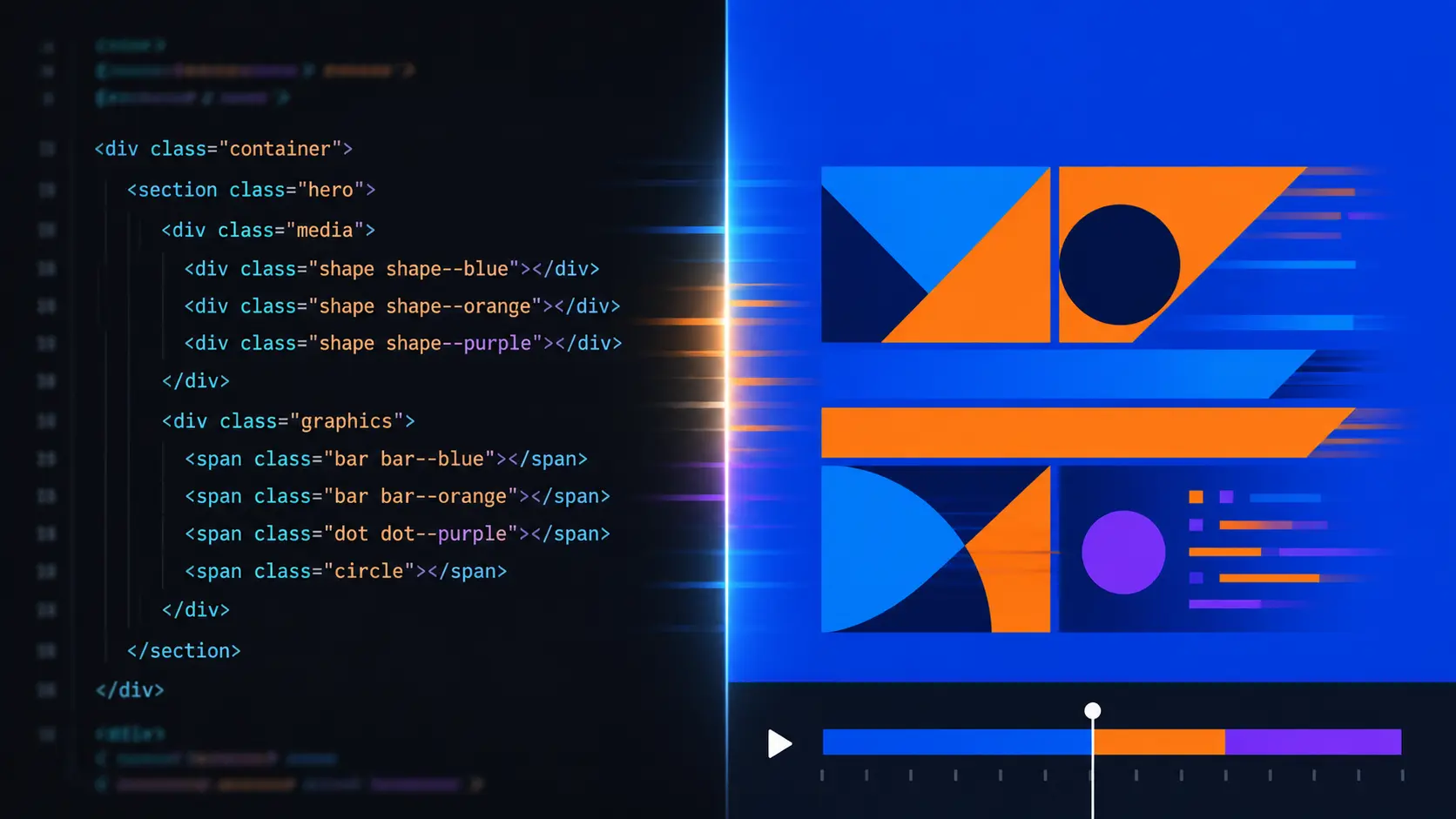
HyperFrames: video and motion graphics with HTML
HyperFrames is an open source framework by HeyGen that turns HTML, CSS and animations into an MP4. Learn how to write a web page and render it as video, who really benefits from this democratization of motion graphics, and where its limits are.
Manus vs Claude Code vs OpenCode: Pricing and Which to Pick (2026)
Manus works in the cloud; Claude Code and OpenCode work on your machine. We compare pricing, how each one bills, key features and which fits your profile.
Partnerships
Tools I use every day, on better terms for this community.